
Blog ·
Changing cars mid-year: mileage log (CRA)
A June trade-in does not merge two trucks into one logbook. Close the old odometer, open the new one, and keep the two business-use percentages apart.
A home inspector working out of Trois-Rivières trades her Ford F-150 for a used Ram 1500 on June 30, the day the dealership finishes the paperwork. She closes the F-150’s odometer at 96,150 km that afternoon and drives the Ram off the lot with 24,300 km already on it. Both trucks do the same job for the same business, six months apart, and the CRA treats them as two vehicles, not one continued line in a spreadsheet. Kept apart, the two trucks give her T2125 71.7% × $4,120 = $2,954 for the F-150 and 67.3% × $3,860 = $2,600 for the Ram, $5,554 in all, and each figure rests on its own odometer pair (worked out below).
The change itself is a recorded event
The CRA’s guidance on motor vehicle records is specific about a trade-in: “If you change motor vehicles during the fiscal period, record the dates of the changes and the odometer reading when you buy, sell, or trade the vehicle.” That is two entries, not one: June 30, F-150, 96,150 km, traded; June 30, Ram, 24,300 km, in service. Neither reading waits for the year-end odometer check; it gets written down on the day the swap happens, while the number on the dash is still the number that matters.
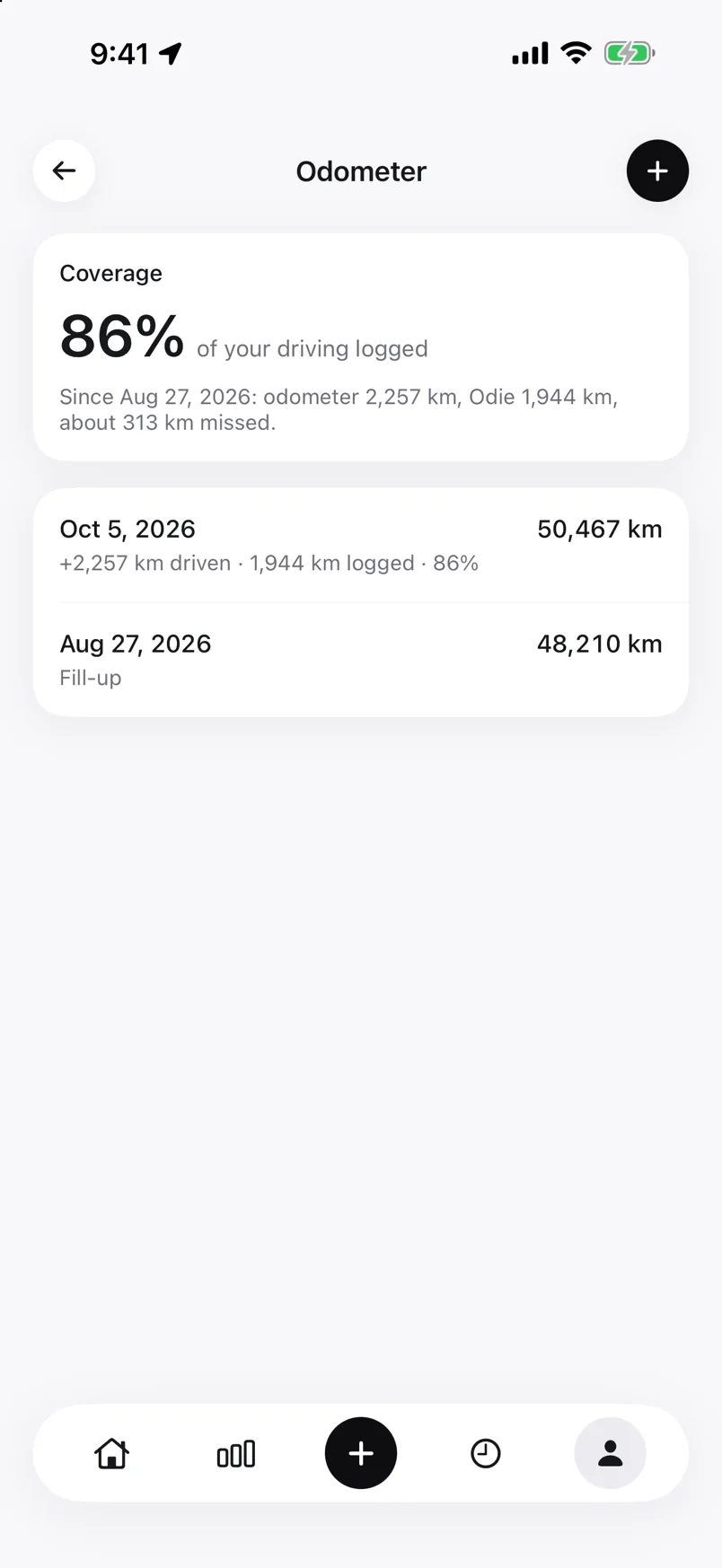 A dated reading closes the record for one vehicle the same day a new one opens for the next.
Odie takes both June 30 readings as dated entries, and every trip records which vehicle made it. Once the Ram is paired, Odie recognises it by its hands-free Bluetooth name, so trips from July on land on the Ram without her picking it. More than one car is part of Odie Pro (the self-employed mileage log lists what the free version covers).
Two odometer pairs instead of one
The CRA’s small business guide states the multi-vehicle rule without carving out an exception for vehicles owned one after another instead of side by side: “If you use more than one motor vehicle for your business, keep a separate record for each vehicle that shows the total and business kilometres you drive, and the cost to run and maintain each vehicle. Calculate each vehicle’s expenses separately.” A logbook covering two cars driven at the same time and a logbook covering two trucks driven one after the other follow the same rule for the same reason: each vehicle gets its own start and end odometer reading for the part of the year it was hers.
For the F-150, the pair is January 1 (82,410 km) to June 30 (96,150 km): 13,740 km driven, 9,850 of them logged as business. For the Ram, the pair is June 30 (24,300 km) to December 31 (37,960 km): 13,660 km driven, 9,200 of them business. Four readings, two vehicles, and neither total means anything added to the other.
Two percentages, not an average
The F-150’s business-use percentage is 9,850 divided by 13,740, or 71.7%. The Ram’s is 9,200 divided by 13,660, or 67.3%. The two numbers do not have to match, and nothing requires an explanation for why they moved: the winter and spring months on the F-150 happened to carry two out-of-town inspection contracts, and the second half of the year on the Ram carried more weekend and personal driving mixed into the same total. What the CRA wants is not a reason the percentage changed but the odometer pair and the log entries that produced each one. Those numbers stay apart through the expense calculation too. The F-150’s fuel, insurance and maintenance for the six months she owned it came to $4,120; at 71.7% that is a $2,954 deduction. The Ram’s costs for its six months, $3,860, produce $2,600 at 67.3%. Averaging 71.7% and 67.3% into a single 69.5% and applying it to the combined $7,980 would land on $5,546, close enough to look harmless and wrong all the same: the actual total, adding the two vehicle-specific figures the CRA’s calculation produces, is $5,554.
One line on the return, two figures behind it
Line 9281 of the T2125, motor vehicle expenses, takes one number for the year. What sits behind that number, if the CRA asks, is the $2,954 and the $2,600 as two separate calculations, each with its own odometer pair, its own percentage, and its own receipts, not a single truck’s math run twice. The vehicle’s capital cost allowance, a separate line from the per-kilometre expenses here, is tracked the same way, per vehicle, and what a trade mid-year does to that calculation is covered in capital cost allowance on a vehicle.
Odie keeps a separate record for each vehicle, tagging every trip and every odometer reading to the truck that made it, so the F-150’s log closes and the Ram’s opens as two entries in the vehicle list rather than a spreadsheet that has to be split by hand after the fact. The mileage log template has the same columns, with a vehicle column next to the date so a June 30 trade-in shows up as the boundary it is; Odie fills them in as you drive. The sample year report shows one vehicle’s year: its name, opening and closing odometer, and business kilometres by month.
Questions
What odometer readings do I need when I trade in a car mid-year?
The CRA asks you to record the date of the change and the odometer reading when you buy, sell or trade the vehicle. That is two entries on the same day: the closing reading of the old vehicle and the opening reading of the new one.
Can I average the business-use percentage of the old and new car?
No. The CRA says to keep a separate record for each vehicle and calculate each vehicle’s expenses separately. In the example above, averaging 71.7% and 67.3% gives $5,546 instead of the correct $5,554.
Do two cars go on separate lines of the T2125?
No. Line 9281 takes one figure for the year, the sum of each vehicle’s own calculation. Each vehicle’s odometer pair, percentage and receipts stay behind that figure in case the CRA asks.
Sources
- CRA: Motor vehicle records
- CRA: Calculating motor vehicle expenses (T2125)
- CRA: Guide T4002, motor vehicle expenses
Every figure above is checked against the sources listed. How we check our facts. Not tax advice; your accountant knows your situation. Spotted an error? Tell us.